
Download Samsung Theme Store Apk

Video Editing Tablet Pc


Whether you need a windows video editor or you work on macos, android, or ios, adobe creative cloud apps are perfect for your video projects. premiere pro, after effects, and the web and mobile video apps are all part of creative cloud, with membership plans for individuals and businesses.. Using free video editing software is a convenient way to edit your videos. plus, most of them are so easy to use that they're great for beginning editors . you might want a video editing program if you need to extract audio from a video or add different audio, cut out parts of the video, add subtitles, build a dvd menu, merge video files, or. The best computers for video editing in 2018; your footage look fantastic. shares. you might have captured the footage of a lifetime, but if you don't have a decent computer for video editing, you won't be able to make your footage sing. fortunately, that's where we can help. the best tablets with a stylus for drawing and note-taking. 3.
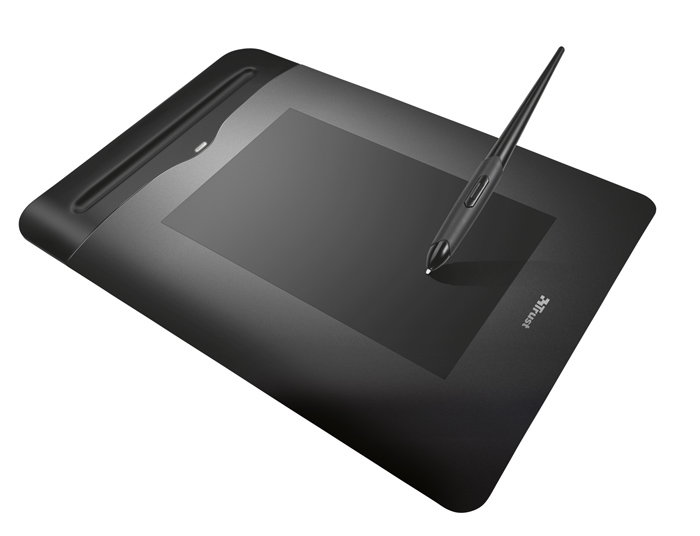


Trust eBrush Graphics Tablet Widescreen for PC, Tablet ...


Trust ebrush graphics tablet widescreen for pc, tablet


12 best video editing apps for phones and tablets. vizmato is a thoroughly delightful app for shooting and editing video from both front and rear cameras. the app's themes — like hip hop. Vincent talked about tablet pcs for photo editing, but we’ve received questions for them in regards to editing videos as well. with the prime options for the category being available and. For video editing, you need best laptop that works fast, so here i selected 3 best video editing laptops with high ram, processor, graphics and hard drive. also, most of laptops are comes with full hd display in this list because you need high pixel resolution for video editing. so let’s check out 3 best laptop for video editing 2018..


video editing tablet pc

visit link reference


Comments

Popular posts from this blog

Asus Router Multicast

Enable efficient multicast forwarding (igmp snooping) udp proxy(udpxy). In general, the multicast rate in router settings is the same with most of the major brand routers such as motorola, asus, netgear, airport, and more. however, they do not really do a good job at explaining the best way to set it up.. The asus blocks multicast traffic even over the lan by default. itunes and the devices advertise themselves on a single multicast address of 224.0.0.251 and this was being completely blocked by the asus router, hence the devices couldn't find each other.. Asus rt-ac86u ac2900 router review & rating | pcmag.com Monitor and manage your network with ease from your mobile device using the intuitive asus router app aiprotection powered by trend micro provides multi-stage protectio...

Professional Video Editor Ubuntu

Lightworks is a top notch, professional-grade video/movie editor which recently released a beta version for linux as well. lightworks was perhaps one of the firsts to adopt computer-based non-linear editing systems, and has been in development since 1989.. Pro-level video editing with lightworks on linux when you think about video editing and linux, most likely your thoughts immediately gravitate to the likes of openshot , kdenlive , or flowblade .. Lightworks: a professional video editor available for ubuntu/linux mint/fedora lightworks is a professional video editor which is the fastest, most accessible and focused on non-linear editing (nle) software, the initial release of lightworks was in 1989; 26 years ago.. Openshot video editor is a free, open-source video editor for linux. opens...

Apple Firmware.scap

What is the firmware.scap? why isn't my computer freaking out? i've skimmed some literature on the internet, but there doesn't seem to be that much definitive information, just people giving rote directions to flash efi firmware for those of us who have deleted it.. Hi, i have an older macpro running yosemite - since upgrading to this os a few months ago i've noticed that after a restart i occasionally get an extra drive mounted on the desktop - 'efi' - inside it contains folders - apple>extensions>firmware.scap.. Navigated to efi/apple/extensions/ and removed firmware.scap file. the system will recreate a new .scap file after reboot (and bid double boots bye bye!) share share on twitter share on facebook email link like + quote reply. jfcates and philgxxd like this. maxinmusiccity, jan 14, 2018. ...